Direction
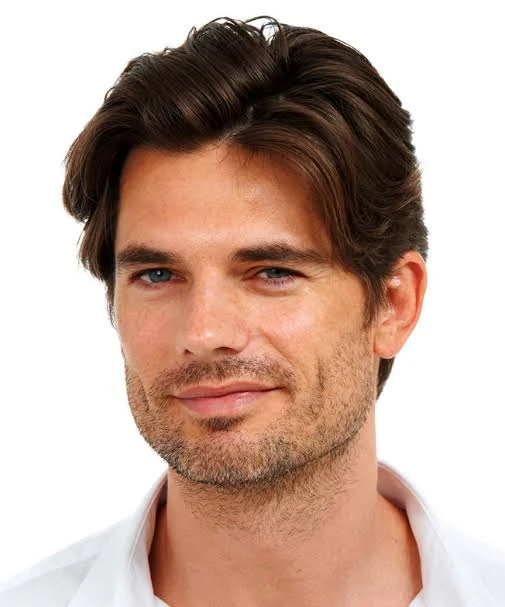
Classic Side Part
A polished part with structured definition.
AI hairstyle discovery
Try on considered hairstyles with one portrait, then take the feeling to your next appointment.
Six looks per collection · made for a real stylist conversation
A new point of view, in a few considered moments.
The simple part
Start with one clear portrait of you.
Explore a considered edit of fresh styles.
Save the looks worth taking to your stylist.
The style edit
Explore the energy of a new cut before you sit in the chair.
A polished part with structured definition.
Short movement with a modern finish.
A clean taper with a refined shape.
A forward fringe with a crisp outline.
Even texture with a neat, close finish.
Close-cut length balanced by a gradual fade.
Your collection is tailored from one of these directions.
More than a mood board
Manevara turns a single portrait into a useful starting point for a real conversation about shape, movement, and the kind of change you want to make.
The reveal
Give your next appointment a visual reference that feels more like a decision and less like a guess.
Find your lookReference for a conversation — not a promise.
Made to share
“It gives the conversation somewhere to begin.”
Save a few favorites, put them side by side, and bring the clearest version of your idea to the people who know you best.
Choose your pace
Free previews are standard resolution and carry a subtle Manevara mark. Verified accounts choose and manage paid collections from the studio.
Free preview
Free account with standard-resolution marked previews.
Style Pass
One clean, high-resolution style collection.
Plus
Clean high-resolution collections and saved decision tools.
Studio
Additional collections, comparison tools, and Plus features.
Pro
Studio features with priority generation and the highest practical allowance.
Choose a plan in your studio after you verify your account.
Privacy, plainly
You choose when your portrait is processed. Manevara does not save your original or generated images after your active session.
Read the detailsGood to know
Manevara is for adults using a photo of themselves or another consenting adult. Children, public figures, and non-consensual images are not permitted.
Your portrait is sent only after you choose Create, so Manevara and OpenAI can generate your hairstyle previews. Previewing happens in your active browser session; no portrait leaves your device before that explicit action.
Manevara does not save your original or generated images. OpenAI may retain limited API data under its published data policy, so Manevara does not claim that a provider deletes images immediately.
Use one JPEG, PNG, or WebP portrait up to 10 MiB and 8 million pixels. The decoded image must be at least 512 × 512 pixels and no more than 8192 pixels on either edge, with your face and current hair clearly visible.
Generation begins after you choose Create. Timing varies with image processing and network conditions, while completed preview sheets appear as they are ready.
Yes. Start with a short structured edit, a medium layered edit, or Choose for me; after a batch, you can request a fresh direction for another set of looks.
They are an AI preview, not a guarantee. Hair texture, density, length, hairline, facial details, and unseen angles can differ in real life.
Completed sheets stay available. A failed sheet can be retried without discarding the looks that were already generated.
Yes. Create 6 more requests a fresh style plan and aims to avoid prior names and styles, but repeats cannot be ruled out.
You can save favorites and download or share browser-composed previews during this page session. Sharing sends the public Manevara site URL and does not recreate your local results for someone else.
Reset clears the portrait, previews, and favorites held in this active session and returns you to the start. Because Manevara does not keep an application history, a reset cannot be undone.
The next look is yours